 Vivid Connect
Vivid Connect
Vivid Connect
Vivid Connect sets up your MikroTik router in one tap, sells data to your customers on the WiFi login page, and shows you every sale, every router and every pesewa in the app. No laptop, no technician, no counting cash at the end of the day.
That's how long a real customer took to go from "no internet" to online: picked a bundle on the WiFi login page, approved the MoMo prompt, and got connected automatically. The voucher landed on their WhatsApp as a backup. You were not there.
Other systems hand you a script to paste into the router from WinBox on a computer. Vivid Connect onboards the router from the app, and then everything else happens in the same app: your account, your trial, your packages, your customers, your income, and the router itself.
Plug in a factory-fresh MikroTik, open the app, tap once. It configures the hotspot, the secure tunnel and the login page by itself, and updates a RouterOS 6 router first if it has to. Router dies? Onboard the replacement the same way.
Sign up, pick your trial package, onboard, build your packages, watch who's online, read your income: all of it on Android and iPhone today, from Google Play and the App Store, and in any browser when you want a bigger screen. (On iPhone you open the business on the web first, then sign in to the app.)
Reboot a router that's acting up, choose which ports sell WiFi, switch device mode, see who's on it right now. The things you used to call the technician for, done from wherever you are.
Any billing dashboard lets you name a package. The question is what happens at 6am. On Vivid Connect the rules live in the router, not in a notice on the login page, so the plan you sold is the plan they get.
Sells for GHS 3, works 10pm to 6am only, 1 device, 8 Mbps.
Online sales split at the moment your customer pays, and your share settles to your own bank account or Mobile Money wallet every business day. Nothing runs on trust, because every line is on your ledger before the money moves.
Flip one switch in Settings, paste your key, and customers pay into your own Paystack balance. The platform fee drops to 4%, split off at the moment of each sale, so there is no month-end invoice to remember. Paystack is the only own-gateway option for now; more are on the way.
| Sale | Gross | Fee 6% | Yours |
|---|---|---|---|
| INV-2231Daily Unlimited · MoMo | 10.00 | 0.60 | 9.40 |
| INV-22302 GB bundle · card | 5.00 | 0.30 | 4.70 |
| INV-2229Night Owl · MoMo | 3.00 | 0.18 | 2.82 |
| INV-2228Weekly Unlimited · cash | 45.00 | 2.70 | 42.30 |
A WiFi business is rarely one person. Vivid Connect is the only platform where the installer who set you up can earn on your sales automatically, where a revenue-share deal you agree pays itself, and where the cashier at the desk can't touch your books.
The technician who sets you up earns 1% of your online sales for life, paid out of the platform's fee, not yours. Agreed a deal with a partner, for equipment, a site, or anything else? Propose the split, approve it in the app, and it pays at the moment of each sale. The partner program
Add an agent in a minute, hand them voucher stock, and every sale lands under their name with their commission worked out. They carry a live to-remit balance and you confirm each cash hand-over against its reference. Cash accounted, not trusted.
A cashier who recharges customers at the desk, a viewer who reads your books and changes nothing, a technician who works inside your account with every change logged and removable any time.
No SMS credits, no WhatsApp Business API fees, no chatbot builders. We connect your business's WhatsApp number during onboarding, and from then on the platform does the talking, to your customers and to you.
VC-72QK-1188. You're already connected. Keep this code to log in on another device.09:41 ✓✓If you've sold WiFi before, you've lived in one of these columns: shared the password, let an installer run it for a cut, or fought a billing dashboard from a laptop. Here's what each way really costs you, row by row.
| Capability | Sharing the password“Come, I'll type it in for you” | Installer resellersa technician configures your router, the sales run through their system, and you get cash at the end of the week | Cloud billing dashboardsISP billing software you set up from a laptop with WinBox; a monthly fee per router tier, or a percentage of sales through their payment account | Vivid Connectthe WiFi business you run from your phone |
|---|---|---|---|---|
| Setting up the router | Nothing to set up. Nothing selling for you either. | ✗Their visit, their config, their password. When something breaks, you wait for them. | ~A laptop, WinBox and a script you paste into the router's terminal. Fine, if you already know your way around a MikroTik. | ✓One tap from the app on your phone. A RouterOS 6 router gets updated first. Router dies? Onboard the replacement the same way. |
| Running it day to day | ✗You have to be there. | ✗You are not running it. They are. | ~The web dashboard, plus an APK you sideload for some of them. Router trouble means a laptop or a call. | ✓The app on Google Play and the App Store: packages, customers, income, and the routers themselves. Reboot one from the bus. |
| How customers buy | Cash in hand, or MoMo to your personal number. Then you type the password into their phone. | ~MoMo on the login page, into the installer's collection account. | ~MoMo on the login page, then a code to type or an account to create, depending on the system. | ✓The MoMo prompt right on the WiFi login page. Online the second it clears. No account, no code, no app, no you. |
| Coming back tomorrow | ✗You type the password again. | ~Whatever their system does. | ~The code again, or a sign-in with a password. | ✓Their phone is remembered until the plan ends. Walk into range, you're online. |
| Packages & real limits | ✗One "package" per SSID, and customers stay online until you notice. | ✗The installer's menu, at the installer's limits. | ✓Plans and user profiles you build yourself, hotspot and PPPoE. | ✓Time, data, both or unlimited, each with its own speed, price and device slots, plus usage windows the router enforces: a night plan closes at 6am by itself. |
| Who gets the money | Your pocket or your personal MoMo wallet, and a memory. | ✗The installer's account. You get cash on Friday, and their word for the amount. | ~Their payment account, paid to your MoMo the next day minus their cut. Or your own gateway, if you set one up yourself. | ✓Split at payment, settled every business day to your bank account or MoMo, your choice. Or your own Paystack account, at 4%. |
| Proof of what you earned | ✗Records live in your head. | ✗None. Whatever they hand you is what you sold. | ✓Reports on the dashboard. | ✓Every sale itemised: gross, platform fee, gateway fee, partner share, your net. In the app, and as CSV or PDF. |
| Messages to customers | ✗A whispered password. No receipt, no record. | ~Whatever their system sends, if anything. | ~SMS, on credits you buy. After that, silence. | ✓WhatsApp from your own number, included: vouchers, receipts, usage warnings, renewal nudges, and sale alerts to you. |
| People who sell with you | ✗Just you. | ~Their agents, if they have any. | ✓Agents on commission and staff logins. | ✓Agents, staff roles, and a partner program: your installer earns 1% at source, and any revenue-share deal you approve pays itself. |
| What it costs | Free, plus your evenings. | ~Nothing upfront. A cut of every sale you never see itemised, on a router you can't log into. | ~A monthly fee per router tier, or a percentage of every sale through their account. SMS credits on top. | ✓14 days free. Then 6% of each sale, all in. No monthly fee, nothing upfront, WhatsApp included. |
| Whose business is it? | Yoursbarely a business | Theirsyou supply the internet | Yoursif you can run a MikroTik from a laptop | Yoursfrom your phone, in ten minutes |
Recognise your column? Move to the last one free for 14 days. Your routers and customers come with you.
Onboard in one tap from the Vivid Connect app (on Google Play and the App Store), or download the onboarding kit for your computer. Either one configures a factory-fresh MikroTik by itself: the hotspot, the secure tunnel and the login page (no networking degree required). The app confirms the moment it's live.
Create data bundles, timed passes, night plans or unlimited day plans at your own prices, with your own speed tiers. Flag any of them to sell right on the WiFi login screen, no account needed to buy.
Customers pay by MoMo or card and get connected automatically. The sale splits the second it's charged, your share settles to your own bank or MoMo every business day, and a clean ledger sits behind every line.
No setup fee, no card, no contract, no monthly bill. A percentage of what you actually sell, and nothing on a quiet month. The trial turns into the plan by itself, and everything else is an add-on you buy only if you need it.
The full platform with one router, real customers and real money, at 0% platform fee. Only the Mobile Money network's own charge comes off a sale.
You keep 94% of every sale. Online sales split at payment and settle to your own bank or MoMo; the 6% covers everything, there is nothing else taken off. Cash and voucher sales you record go on your ledger at the same rate. Free vouchers cost nothing.
Your plan never changes; add-ons bolt onto it. Each is bought in a minute from your package page, with MoMo, and is yours for good.
When your free trial ends your account moves to Pay as you earn by itself. There is no plan to choose and nothing to pay; selling carries on. Already have a Paystack account? Switch to it in Settings → Payments and the platform fee on your own gateway is 4%, split at each sale, with no invoice to remember. Paystack is the only own-gateway option for now; more gateways are on the way.
Install WiFi for a living? Set your clients up on Vivid Connect from your phone, run their businesses from your own console, earn 1% of every online sale they make for life, and for any deal you and the owner agree, run a revenue share they approve in the app, paid at the moment of each sale. How the partner program works or apply now.
The three things people ask before their first sale. Each has a page of its own, written in plain words.
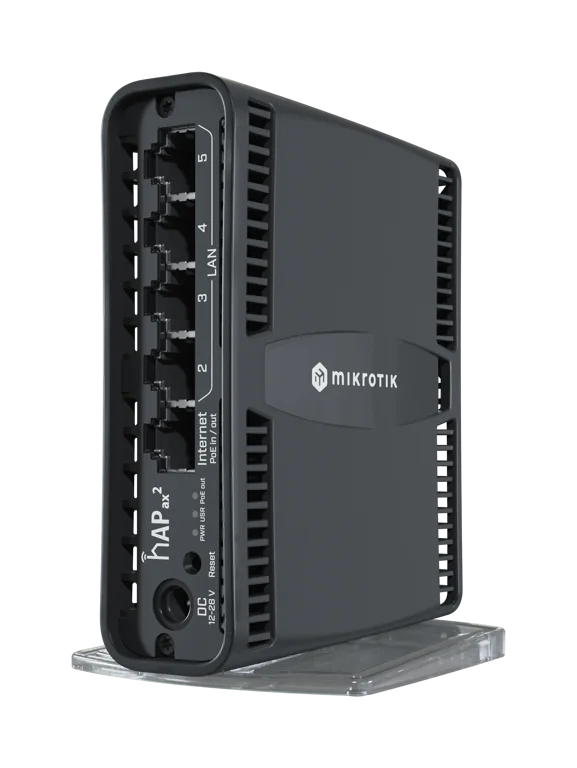
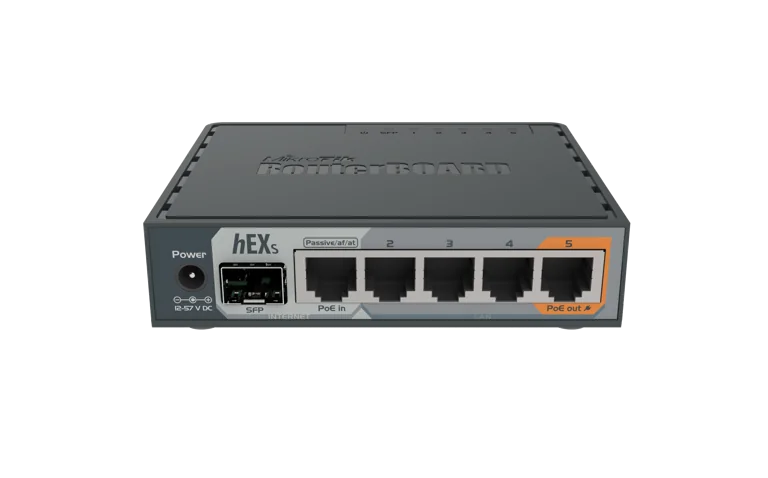
Ghana street prices for every router and access point, the setup for a Starlink line and the one for fast fibre, why a GH₵ 1,300 hEX S carries 150 phones, and the purchases to avoid. Prices from jiji.com.gh, August 2026.
Read the guide →Register clients from your own console, onboard their MikroTik from your phone, and earn on each online sale they make, paid at the moment of sale to your own MoMo. Have a deal with the owner? Propose a revenue share they approve in the app.
See the partner program →Creating your account, the trial, onboarding a router from the app, building packages and speed profiles, WhatsApp, vouchers and agents, partners, your money and payouts, your own gateway, and what to do when something looks wrong.
Read the documentation →Try the full platform free for 14 days at 0% platform fee: onboard your router, set your packages, and sell to actual customers. If it's not for you, you've lost nothing. The WiFi keeps working either way.
Create your business account in two minutes: verify it, pick the free trial package, and you are in. Your router onboards itself and you can be selling the same day. Prefer a human? We onboard on WhatsApp too.
Start my free 14 days Or set up on WhatsAppNo card required. After the 14 days your account moves to Pay as you earn by itself, 6% per online sale and nothing else. Not for you? Walk away; your routers stay yours.
No. Plug in a MikroTik router, open the Vivid Connect app on your phone, and tap once. The app configures the hotspot, the secure tunnel and the login page by itself, and updates an older RouterOS 6 router first if it has to. A Mac, Windows or Linux computer works too, and the dashboard runs in any browser.
Every online sale is split the moment your customer pays, and your share settles to your own bank account or Mobile Money wallet every business day, automatically. You choose the account. No manual transfers from an admin, and no waiting on anyone.
No. Vivid Connect runs the payment rails for you. You just tell us the bank account or MoMo wallet that should receive your earnings. If you already have your own Paystack account you can plug in your keys instead: the platform fee drops to 4%, split off at the moment of each sale, and your customers' payments land in your own Paystack balance. Paystack is the only own-gateway option for now; more are coming.
They're connected automatically the moment payment clears. Their phone is remembered until the plan ends, so whenever they come back within their plan the network reconnects them with no code and no account. The voucher code also lands on their WhatsApp as a backup for another device.
Yes. Every package can carry a usage window, and the router enforces it: a 10pm to 6am plan closes at 6am by itself, without you or the customer doing anything. Time, data, both, unlimited, per-plan speed and device slots are all enforced at the network the same way.
A MikroTik router on RouterOS 7.1 or newer, a WiFi access point (or the router's own built-in WiFi to start), an internet source, and a WhatsApp number for your business. Most routers sold today already run RouterOS 7; if yours is still on RouterOS 6, onboarding notices and updates it for you.
Yes. Operators run it on Starlink every day, and it works just as well with any internet line that has bandwidth to spare: fibre, fixed wireless or mobile broadband too.
Right on the WiFi login page: MTN, Telecel and AirtelTigo Mobile Money, or bank cards. No app and no account needed. They pick a bundle, approve the payment prompt, and they're connected automatically. Cash and voucher sales are supported and tracked on the same books.
Your first 14 days are free, with no card and no setup fee. After that the pricing is one line: 6% of each sale and nothing else. You keep 94% of every sale, Mobile Money or card, and there is no monthly fee, so a quiet month costs you nothing. You start with one router; when a site grows, each extra router is a one-time GH₵150 add-on bought from your dashboard, yours for good. WhatsApp messaging, the app and the ledger are all included. Bring your own Paystack account and the platform fee is 4%.
Yes. Add as many routers and locations as you like and run them all from one dashboard. Vouchers can be redeemed anywhere on your network, and your books stay in one place.
Sales pause until it's back, but nothing is lost. Your packages, customers, vouchers and books all live in the cloud, and the router reconnects to the platform by itself the moment power and internet return. You can also power-cycle a router from the app.
Yes, three ways. Field agents: you add an agent from your dashboard or the app in a minute, hand them voucher stock, and every sale they make is recorded under their name with their commission worked out; they carry a live to-remit balance and you confirm each cash hand-over against its reference. You can also add staff accounts with access that fits the job: a cashier who recharges customers, or a viewer who reads your reports and changes nothing. Technicians and installers join the separate partner program, where they set businesses up, earn 1% of online sales at source, and can run a revenue-share deal you approve in the app.
Yes. 14 days, free, on the full platform at 0% platform fee: onboard your router, create your packages, and sell to real customers. No card needed. When the 14 days end your account moves to Pay as you earn by itself, 6% of each online sale and nothing else; if it's not for you, walk away and you've lost nothing.
Manage packages, routers, vouchers, customers and your income from the business dashboard.
Business loginCheck your balance, see what's left on your bundle, buy your next one, or redeem a voucher.
Customer portalCall, text or WhatsApp, whichever you prefer. We onboard every operator personally.